



I Built My First Raycast Extension
Getting Number Formatter into the Raycast Store marks a small but meaningful milestone for me: it is the first Raycast extension I have built and published. The idea came from a simple recurring problem. Large and tiny numbers are often difficult to understand at a glance, and I wanted a faster way to see and copy the representation that fits the moment.

Why Raycast?
Raycast is a keyboard-first productivity app for macOS and Windows. It combines app launching, search, clipboard history, window management, and community extensions in one fast command bar. It has become one of my favourite daily tools, and I recommend it to anyone who wants to spend less time clicking through menus and more time getting things done.
Its extension platform also makes small, focused ideas worth building: a useful command is always only a few keystrokes away.
What Number Formatter Does
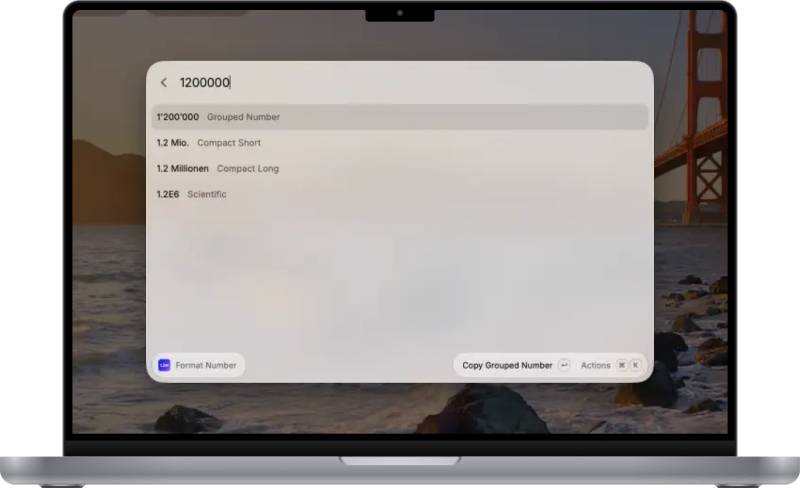
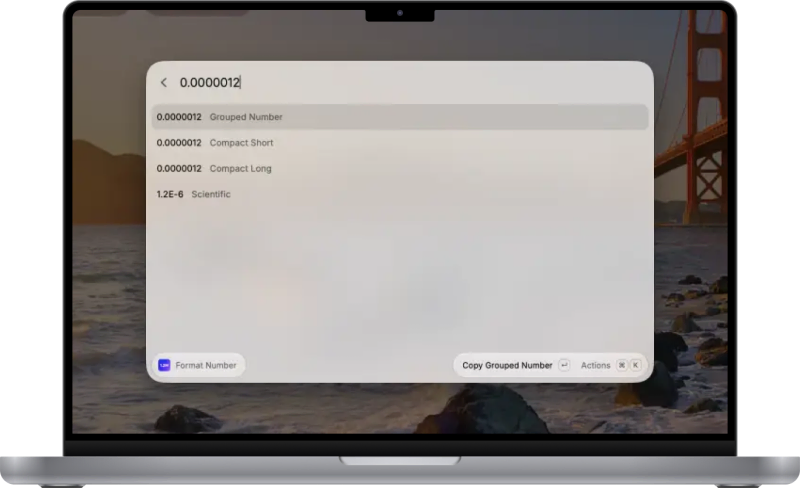
Type or paste a number and Number Formatter immediately shows four versions: grouped, compact short, compact long, and scientific. Select the result you need and press Enter to copy it.
Input is locale-aware and accepts familiar decimal and grouping separators, including commas, periods, spaces, and apostrophes. You can follow the system locale or choose English, German, French, Italian, or Spanish, then adjust how much decimal detail is shown.
Small, Private, and Focused
Formatting happens entirely on your device. There are no accounts, analytics, saved history, or network requests. The extension is built with TypeScript, React, the Raycast API, and JavaScript's Intl.NumberFormat, with validation for invalid input, unsupported ranges, and precision loss.
Install Number Formatter from the Raycast Store and give it a try.